v1.8.6 · AsanPOS Cloud is here

The till keeps working when the internet doesn't.

A complete point of sale for Windows that runs on the computer in front of you. Sales, stock, customer and supplier ledgers, purchase orders and reports are all stored locally — so a dropped connection never stops a sale.

  • Free on one PC
  • No account required
  • Windows 10 & 11
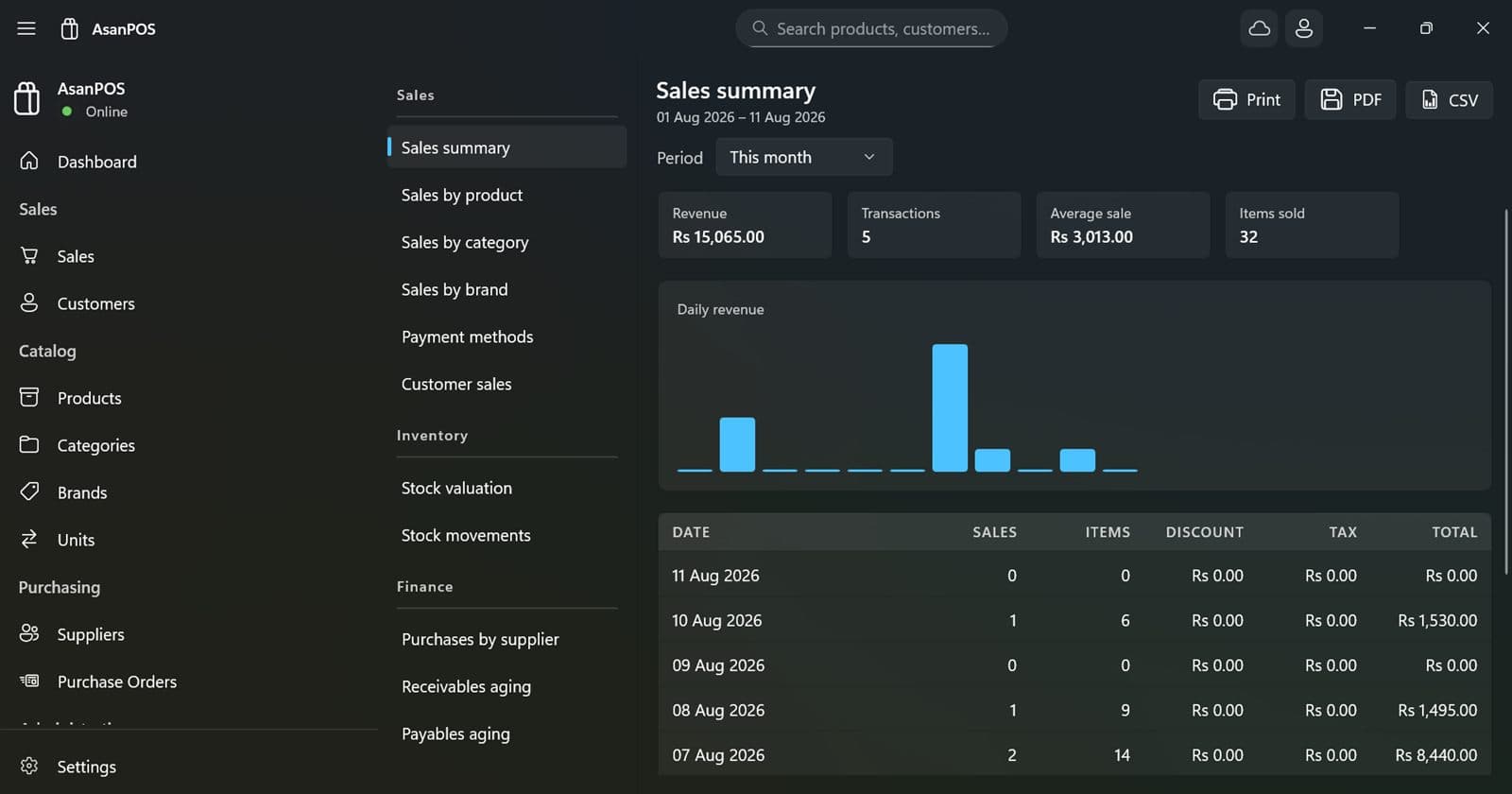
AsanPOS — Reports
The AsanPOS reports page: a list of available reports down one side, and a sales summary showing revenue, transactions, average sale and items sold, a daily revenue chart, and a dated table of takings.
100%
Works offline
11
Built-in reports
Nightly
Cloud backups
32 & 64-bit
Windows 10 and 11

Everything a counter needs

Built for retail and trade businesses that sell products with variations, extend credit to customers, and buy on account from suppliers.

Sales & invoicing
Fast search by SKU, product or brand. Line discounts, freight and multi-page printed invoices. Save drafts, record returns, and mark a sale paid, pending or on credit. F2 starts a fresh sale from anywhere in the app.
Products with real variants
One product, many sellable variants built from your own attributes — colour, size, weight, volume. Each variant carries its own SKU, price and stock, and sells in the unit that suits it.
Customer & supplier ledgers
A running balance per party with every invoice, bill and payment. Print, save as PDF, or send a statement for any date range you choose.
Purchase orders
Raise orders against suppliers, receive stock into inventory, and apply withholding tax and order-level discounts.
Send on WhatsApp
Invoices, statements and receipts go from your own WhatsApp account, linked by QR code exactly like WhatsApp Web — automatically after each sale, if you like.
Users & roles
Administrator, manager and cashier roles with permissions over the catalogue, settings and users. Lock the till between shifts.
Search across everything
One box that reaches products, variants, customers, suppliers, sales and purchase orders at once.
Light, dark, or system
The whole application follows the Windows theme, or pins to one. Rupees or dollars, with your own decimal and rounding rules.
Bring your existing data
Import a backup from your previous system so products, customers, suppliers, sales history and ledger balances carry over. Write to support before you start and we will help you check the file.
New in 1.8

Eleven reports, all of them printable

Pick a period and the whole page follows it — including a revenue chart that reads by hour for a single day and groups into weeks over a long range.

Sales
summary, by product, by category, by brand, by payment method, by customer
Inventory
stock valuation, stock movements
Finance
purchases by supplier, receivables aging, payables aging

Every report prints, saves as PDF, or exports to CSV
Reports — Sales summary
The reports page listing eleven reports grouped under Sales, Inventory and Finance, with the sales summary open beside it.
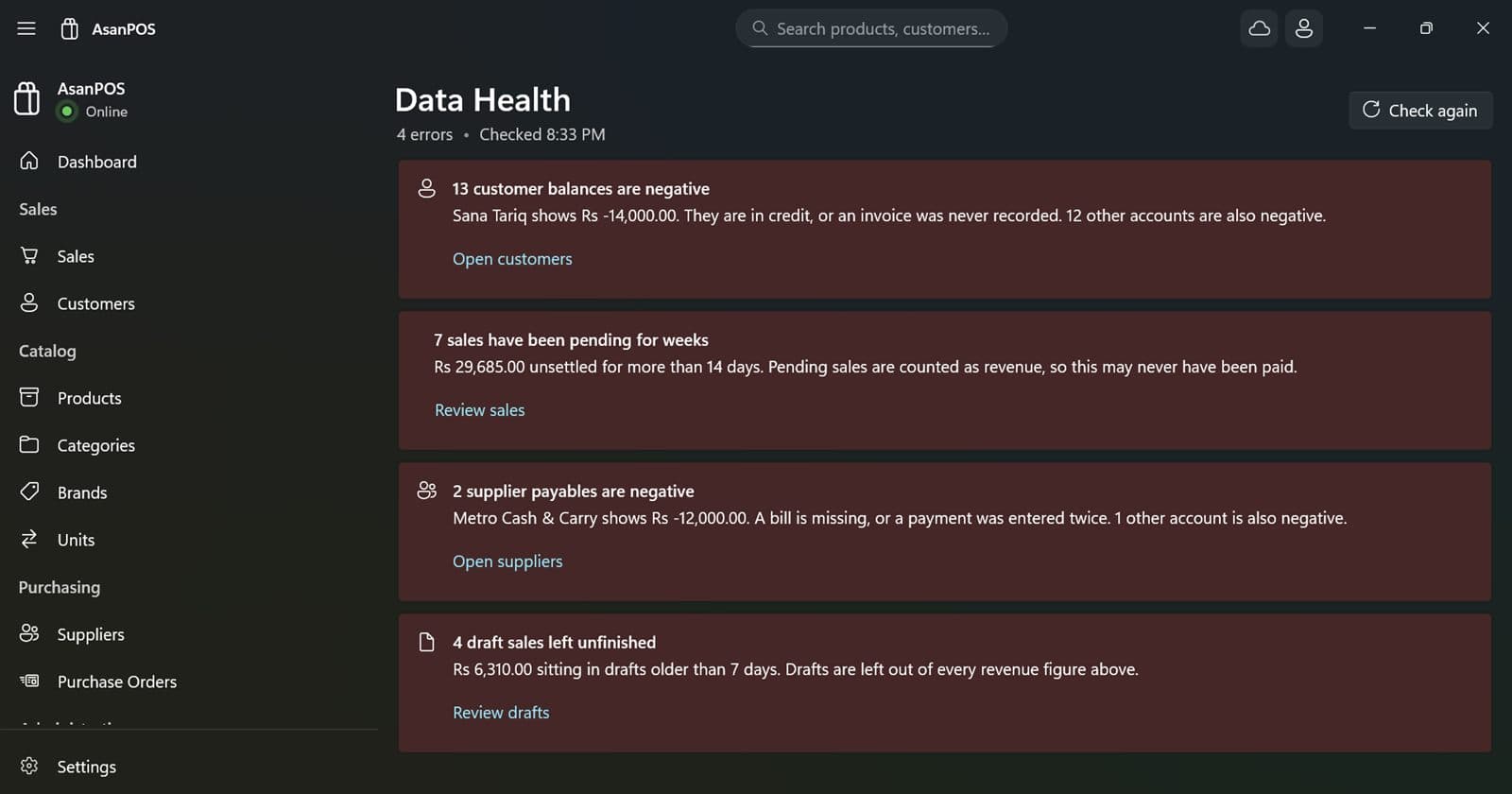
Data Health
The Data Health page listing problems found in the shop's records, each with a plain-English explanation and a link to the affected records.
New in 1.8

Data Health reads your books like an accountant

Around twenty checks run over your own records and report what looks wrong — each in plain words, with a link straight to the records at fault.

  • A sale whose total disagrees with its own lines
  • An invoice number used twice, which breaks the audit trail
  • Negative stock, or a variant with no sale price
  • Sales pending for weeks, and drafts left unfinished
  • Two customers sharing a phone number, splitting one balance in two
AsanPOS Cloud

One shop, several counters

For shops that outgrow a single till. Every counter keeps its own complete copy of the data and works offline; changes travel between them whenever there is a connection.

  • Every counter sees the same stock, prices, customers and sales
  • Works offline — a counter carries on selling and syncs when the internet returns
  • Nightly backups of your shop's database, kept by us
  • No server to set up: subscribe, and the database is provisioned for you
  • Add a counter by installing AsanPOS and signing in with the same Microsoft account

How access is protected

A counter never holds a permanent database password. It leases short-lived credentials that renew while your subscription is active and expire on their own if it isn't — so access ends by default rather than by us remembering to end it. Connections are encrypted in transit.

If the connection drops

The till carries on. Work queues up locally and merges when the network returns; a long first upload resumes where it left off rather than starting again.

If you stop subscribing

AsanPOS keeps working on each PC with all of its data — you lose syncing between counters, not your records. Your cloud database is kept for 90 days in case you come back.

Screens from a working shop

Customer phone numbers are blurred here — not in the app.
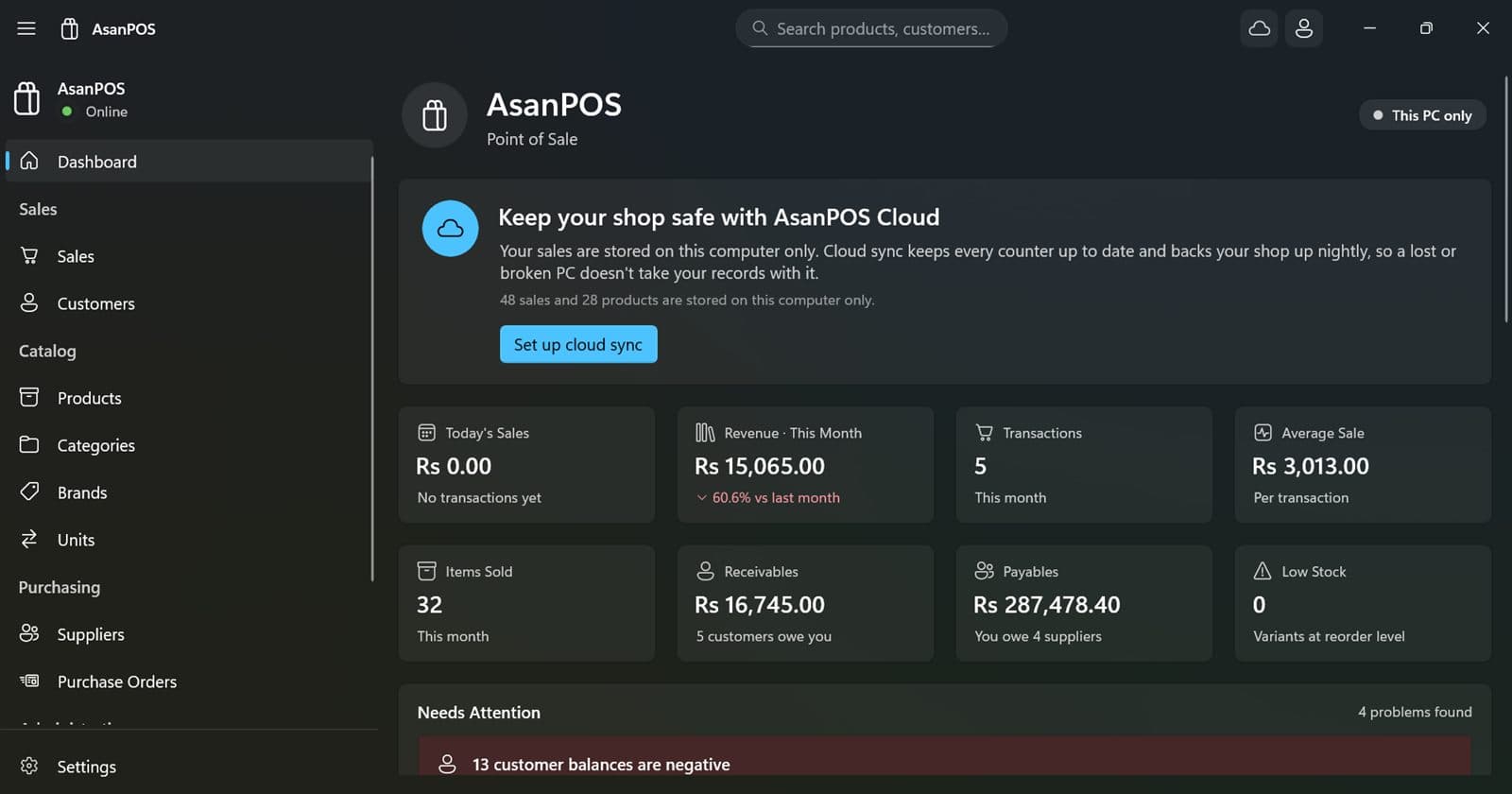
The morning glance
The AsanPOS dashboard showing today's sales, revenue for the month, transactions, average sale, items sold, receivables, payables and low stock, above a Needs Attention list.

The morning glance Takings, transactions, what you are owed and what you owe — on one screen before the shutter goes up.
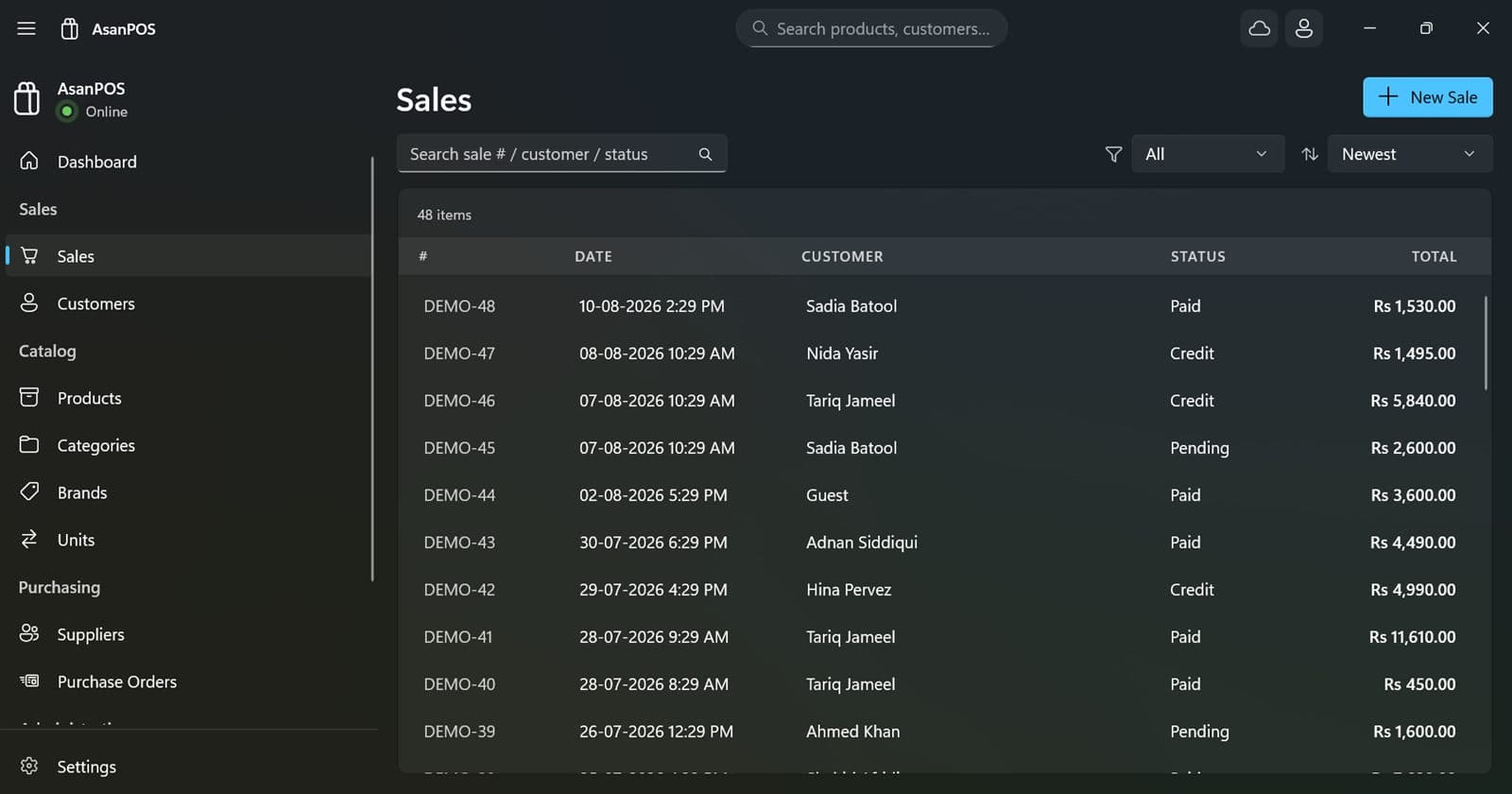
Every sale, searchable
The sales list showing invoice numbers, dates, customers, payment status and totals, with a search box above.

Every sale, searchable Find an invoice by number, customer or product in the time it takes to type it.
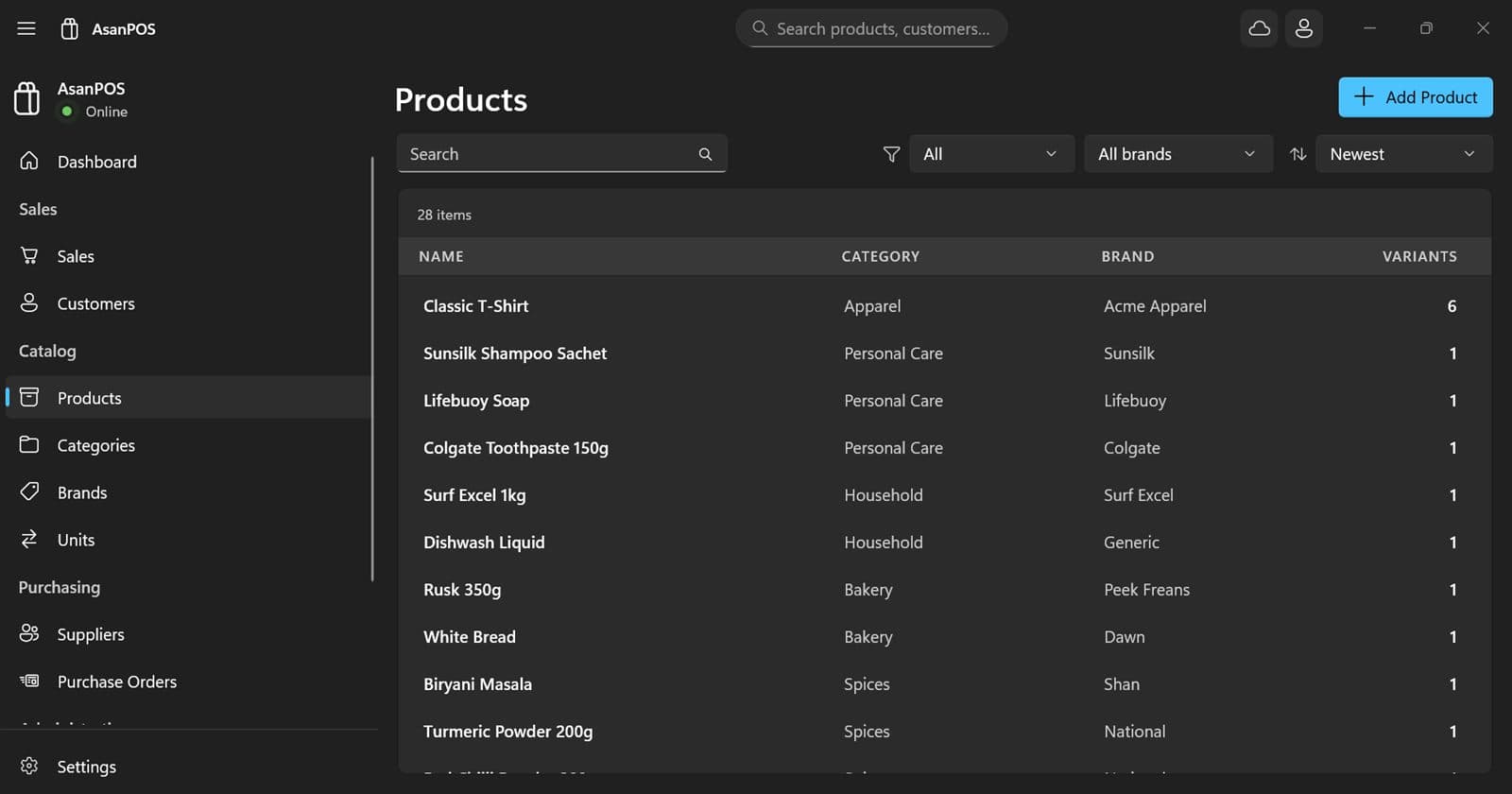
A catalogue that holds up
The products list showing name, category, brand and the number of variants each product carries.

A catalogue that holds up Categories, brands and units, with every variant counted against its product.
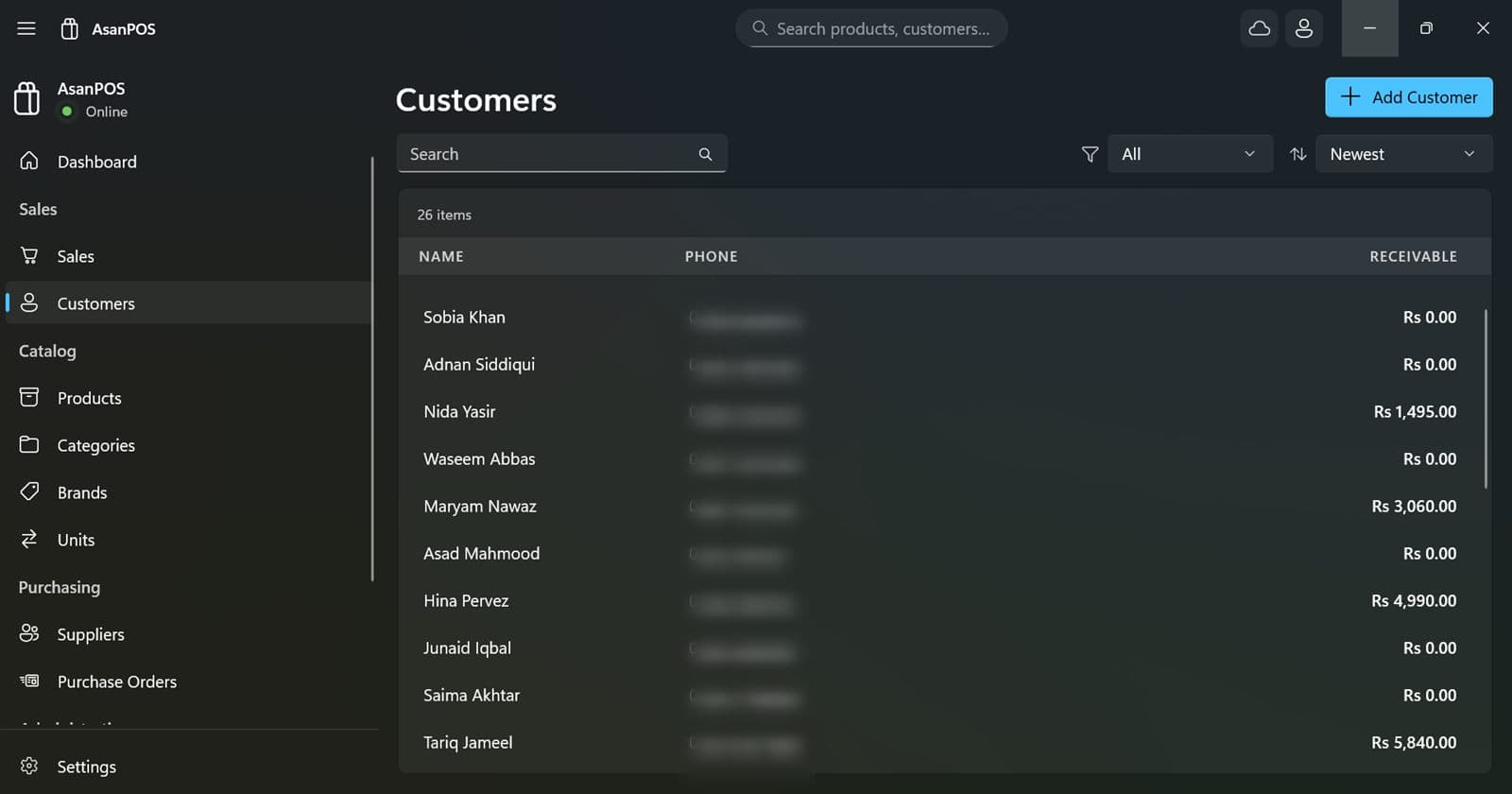
Who owes what
The customer list with names and the balance receivable from each. Phone numbers are blurred.

Who owes what Every customer with their running balance, and a full statement one click away.
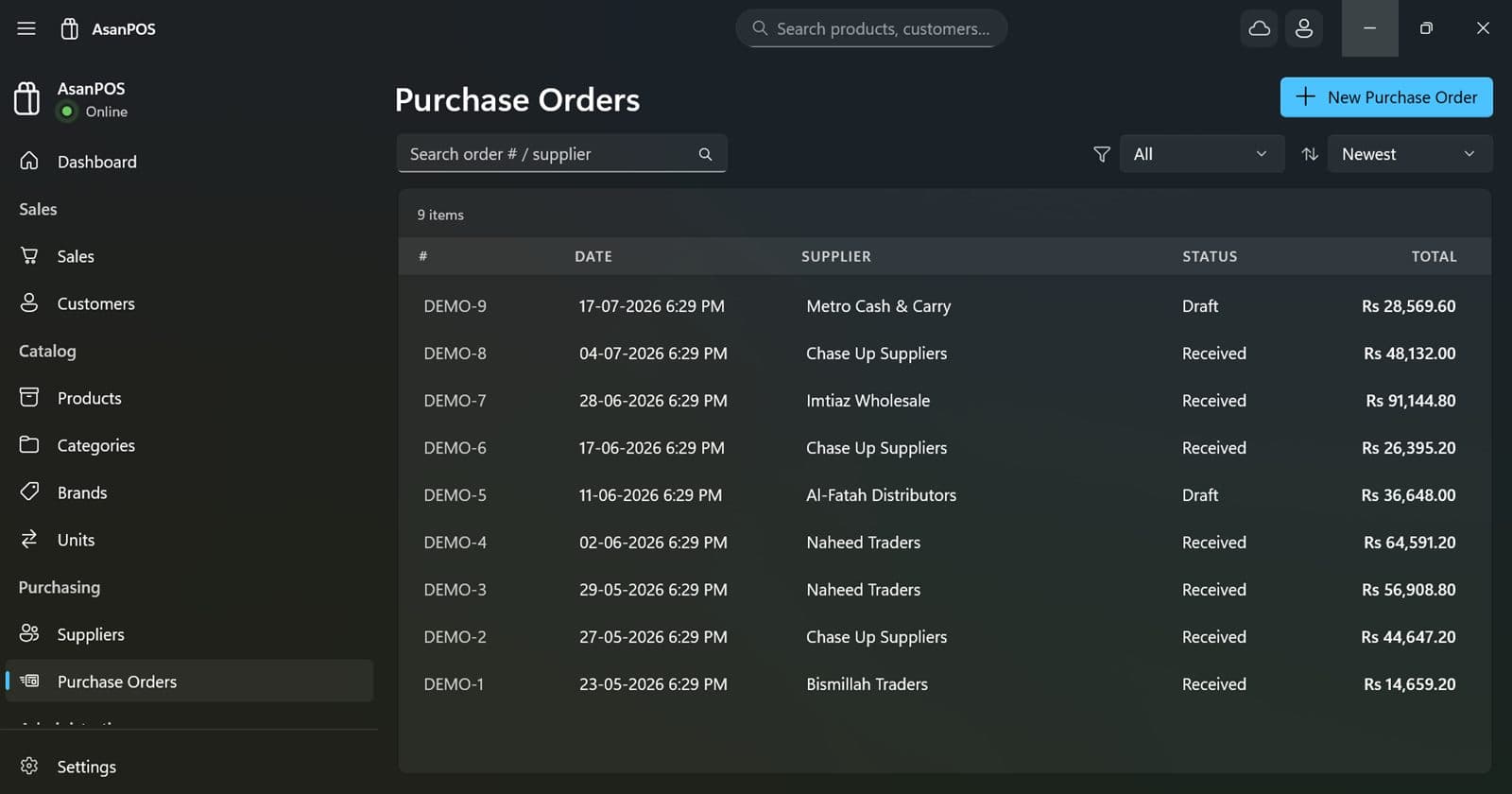
Buying on account
The purchase orders list showing order numbers, suppliers, dates, status and totals.

Buying on account Raise an order, receive it into stock, and the supplier's balance moves with it.

Problems, explained
The Data Health page listing problems found in the shop's records, each with a plain-English explanation.

Problems, explained Each finding says what it means and what it costs you, then takes you to it.

Open the shop.

Install it, set an administrator password, and start selling. There is nothing to sign up for.